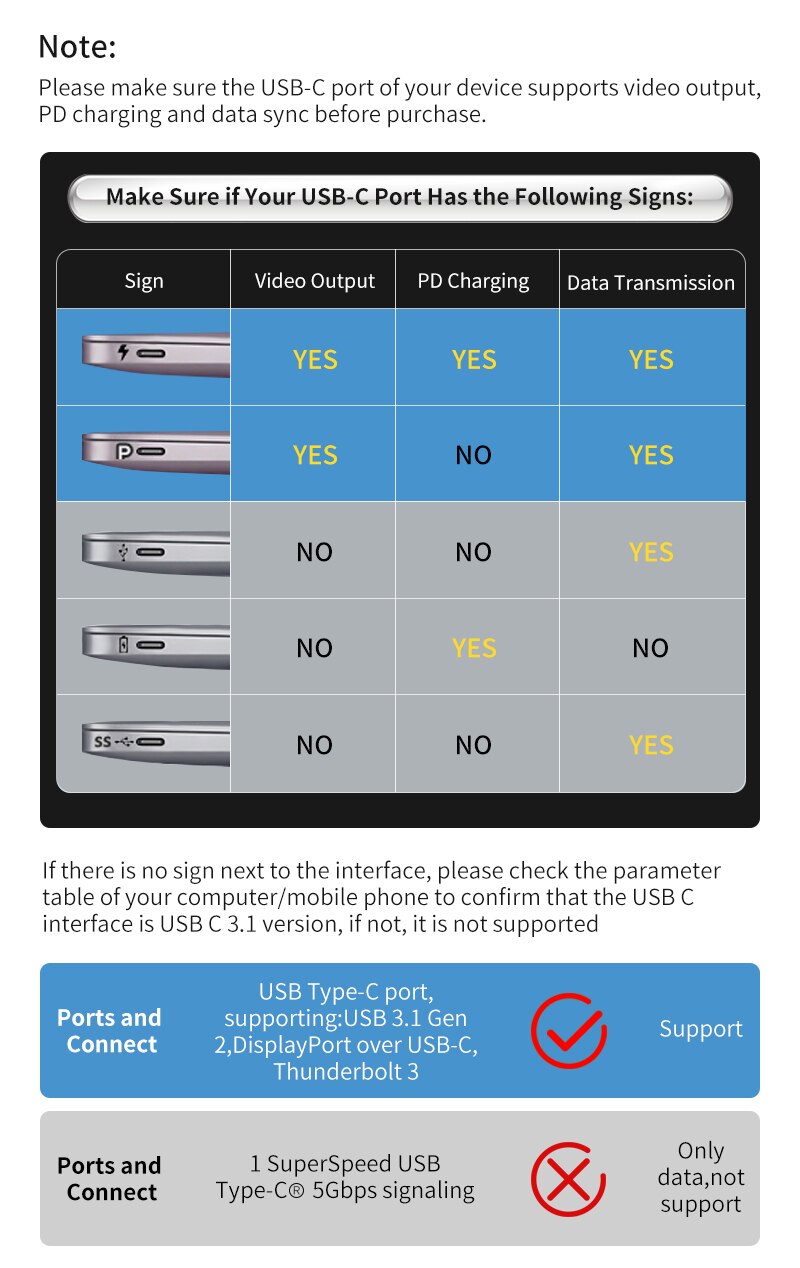
Not all USB-C cables are equal — a cheap cable can silently bottleneck your fast charger or slow your file transfers. Here is how to read the specs.

USB-C cable ratings at a glance
| Rating | Max power | Max data | Use |
|---|---|---|---|
| Basic | 60 W | 480 Mbps | Charging, basic data |
| Fast charge | 100 W | 10 Gbps | Phones, tablets |
| High speed | 100–240 W | 40 Gbps | Laptops, 4K, docks |
Two specs to check
- Power (watts): a 100W cable is required to fast-charge most laptops; phones usually need 60W or less.
- Data speed (Gbps): for file transfers, video, or monitors, match the cable to your device’s port speed.
Buying tips
- Look for the wattage and speed printed on the cable or box.
- Prefer certified cables (USB-IF) to avoid cheap, unsafe ones.
- Match the cable to your fastest device so it does not hold anything back.
Browse our USB-C cables and chargers at wholesale prices.
Popular products: 10PCS PD 20W EU Plug USB Type-C Fast Charger for IPhone · USB-C 20W PD Fast Charger with 1M Cable for IPhone 13 1